MASHINA LABS · OPEN SOURCE PROJECT 001 · BUILT BY MACHINE

Mashina Kontrol. Free Open-Source PC Remote.

Turn your smartphone into an ultra-responsive wireless gamepad, Stream Deck, precision trackpad, and presentation clicker. Built 100% with AI as a live demonstration of Mashina Studio engineering capabilities.

Technical Specification

v2.1.0
  • Platforms Windows & macOS
  • Protocol RFC 6455 Binary WS
  • Latency < 0.1 ms (Local LAN)
  • Gamepad Driver ViGEmBus Xbox 360
  • Player Capacity Up to 8 Gamepads
  • Modular Decks 6 Profiles (Gamepad, ...)
  • Mobile Client 0 MB (PWA via QR)
  • License MIT Open Source

6 Purpose-Built Interfaces

Every Tool in a Single Tap

Mashina Kontrol delivers six dedicated interface profiles for gaming, content creation, desktop navigation, and live presentations.

Deck 01

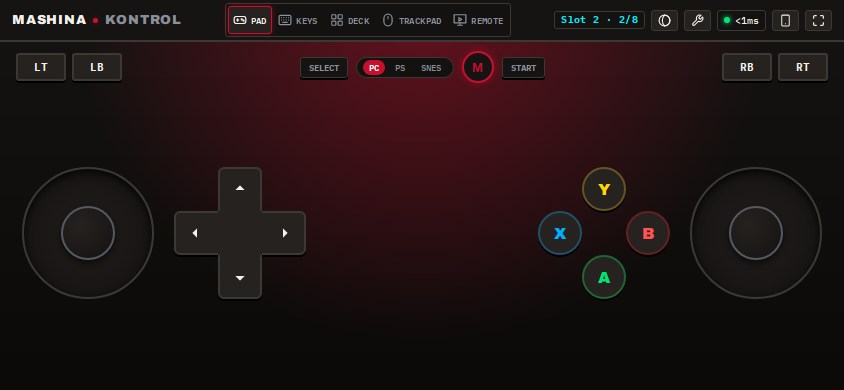
Virtual Gamepad (Xbox, PS, SNES)

Three ergonomic geometries (asymmetric Xbox, symmetric DualSense with trackpad, and retro SNES). Features floating touch-adaptive joysticks and full drag-and-scale layout customization.

Mashina Kontrol Virtual Gamepad

Deck 02

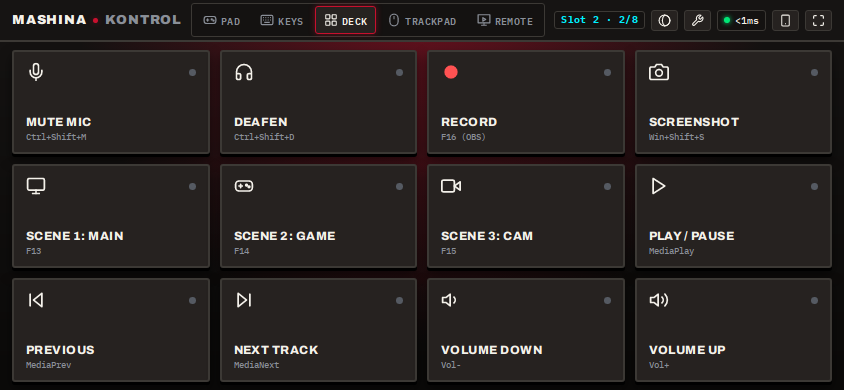
Macro & Stream Deck

A dedicated macro matrix for streamers and creators. Switch OBS scenes, toggle mute, trigger soundboards, and launch workflows with real-time visual state feedback.

Mashina Kontrol Stream Deck

Deck 03

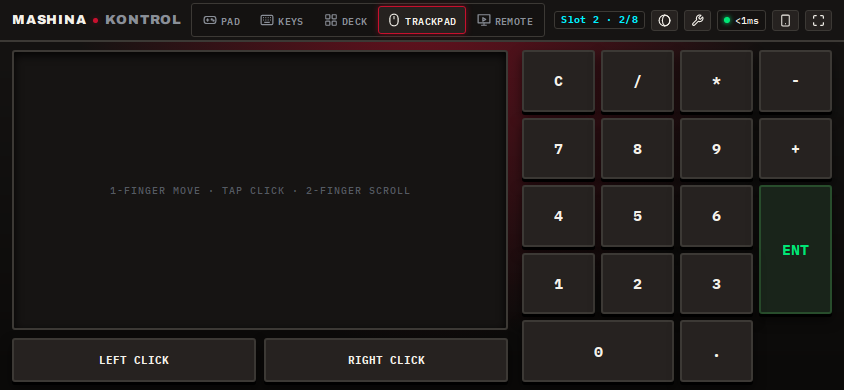
Precision Trackpad

Smooth multitouch gestures with two-finger natural scrolling, left/right/middle click, and configurable cursor sensitivity and acceleration.

Mashina Kontrol Trackpad

Deck 04

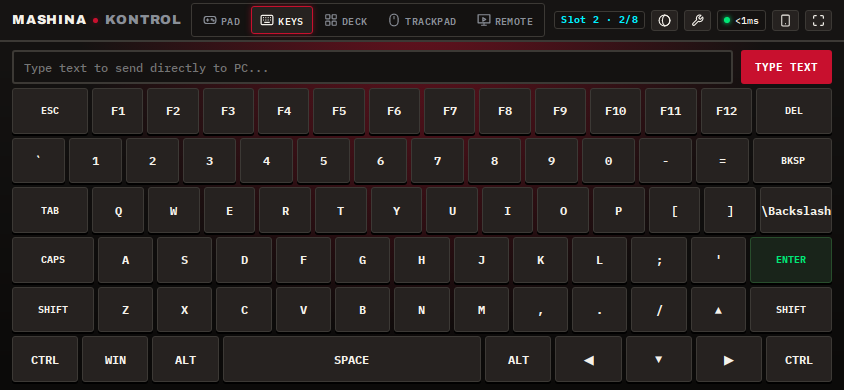
Full PC Keyboard

Complete QWERTY layout with function keys (F1–F12), arrow navigation, and system modifiers (Ctrl, Alt, Shift, Win) for remote desktop input.

Mashina Kontrol Keyboard

Deck 05

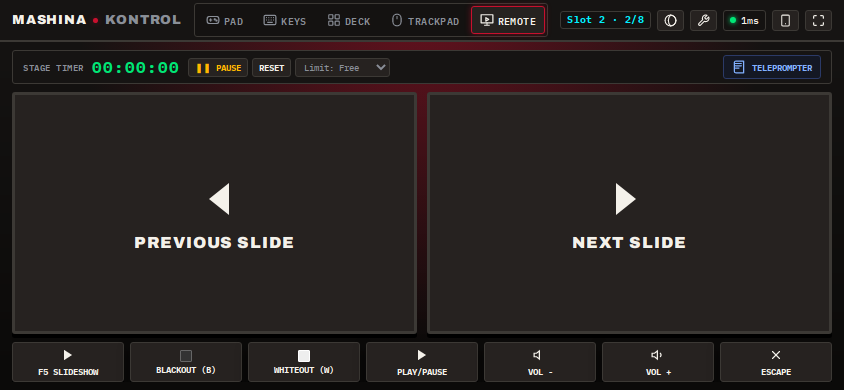
Presentation Remote & Teleprompter

Clean presentation controller for PowerPoint, Keynote, and Google Slides with an integrated scrolling teleprompter mode and tactile slide controls.

Mashina Kontrol Remote

Deck 06

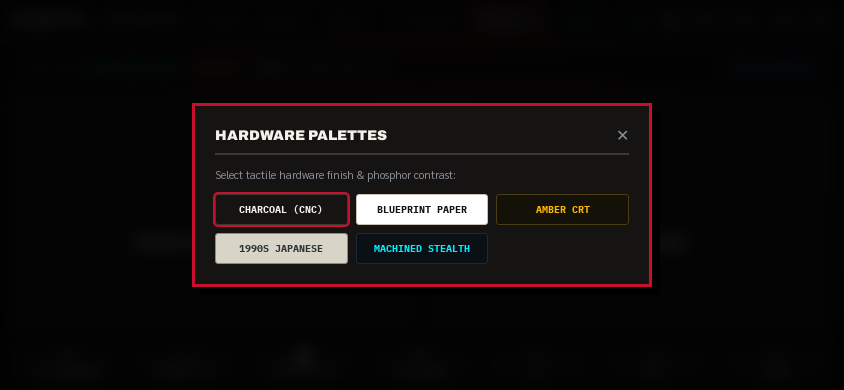
5 Built-In Hardware UI Themes

Switch between five tactile retro and industrial themes (Amber CRT, Blueprint Paper, Charcoal CNC, Machined Stealth, and 1990s Japanese) crafted for optimal contrast in any lighting environment.

Mashina Kontrol UI Themes & Customization

Downloads & Releases

Choose Your Operating System

Zero account creation, no sign-ins, and zero internet dependency. Everything stays strictly inside your local network.

Windows 10 / 11

Setup Installer (.exe)

Recommended full Windows installer with desktop shortcuts and automatic ViGEmBus driver pairing.

Windows Portable

Standalone Executable (.exe)

Zero installation needed: download the standalone executable, double-click, and start playing immediately.

macOS (Apple Silicon & Intel)

Disk Image (.dmg)

Available for Apple Silicon (M1/M2/M3/M4) and Intel Mac systems with native CoreGraphics event integration.

How It Works

Up & Running in 60 Seconds

  1. 01

    Download the App

    Grab the Windows installer, portable executable, or macOS disk image from GitHub releases.

  2. 02

    Run on PC or Mac

    The app docks into your system tray, auto-detects your local network, and displays a secure pairing QR code.

  3. 03

    Scan with Phone

    Scan the QR code with your phone camera to take control instantly. Tap 'Add to Home Screen' for fullscreen PWA mode.

Our Philosophy

Why Release This for Free?

Mashina Studio builds custom software without subscription traps or SaaS lock-in. Mashina Kontrol is a public testament to our engineering standards: when you commission a project with us, you receive the exact same speed, precision, and 100% code ownership.